Friday, July 22, 2016

Dellin Betances, Bugs Bunny, and While Loops

If a "for loop" is ideal for going through a batting order, a "while loop" is good for pitching strategy, namely because as a pitcher you go with a certain plan until something bad happens.

For example, let's say Dellin Betances is facing Mike Napoli. To date, Napoli is 0-7 off Betances with four Ks and three walks. Whatever Betances is doing so far, is working, but those three walks also show that he's being careful and hoping Napoli chases bad pitches, namely his curve/slider/knuckle-curve/Bugs Bunny pitch low-and-away.


In short, a while loops says, "While X is true, do Y." In Betances' case against Napoli that translates to, "While I continue to strike him out, continue to throw him nasty Bugs Bunny slurves low-and-away."


Here's a more specific example. Let's say that while Betances continues to give up less than two dingers to Napoli (to this date, no one has hit more than one off of Betances), Betances should continue to pitch him the same way.


Let's talk through this one. We have a variable for the number of homers Napoli has hit off of Betances (napoliHRsVsBetances) which is currently set to zero.

Then we have our while loop. While the number of Napoli homers versus Betances is less than two we will continue the loop and Betances will, "Keep the same game plan." The first time through the loop napoliHRsVsBetances is zero so we tell Dellin to keep the same game plan. We then add one to the napoliHRsVsBetances variable and restart the loop.

The second time through the loop the one homer by Napoli off of Beteances we have is still less than our cutoff of two, so Dellin can stay with the game plan. Because we are still less than our cutoff of two homers, we use the operator shorthand (++) to add one more to the number of Napoli homers versus Betances which is now up to two.

Now what happens? Now that napoliHRsVsBetances = 2 and our cutoff is two, the loop stops running. Why? Because it is no longer true that Napoli's number of homers off of Betances is less than two. At this point it is equal to two. So now, according to our loop, Betances should change up his approach to Napoli.

Challenge: Create a while loop for your favorite pitcher and his hitting nemesis and tweet it to me (@randallmardus).

On Deck: While Loops & Control Transfer Statements

Wednesday, July 20, 2016

For Loops Through the Batting Order

What are the best baseball lineups of all-time?

How about the 1927 Murderers' Row Yankees? That lineup included:

Combs
Koenig
Ruth
Gehrig
Meusel
Lazzeri
Dugan
Collins
(Pitcher)


What about the 1004 run 1930 Cardinals? That lineup had:

Douthit
Adams
Frisch
Bottomley
Hafey
Watkins
Mancuso
Gelbert
(Pitcher)


Or how about the 1027 run 1950 Boston Red Sox lineup that featured these guys:

DiMaggio
Pesky
Goodman
Stephens
Dropo
Doerr
Zarilla
Tebbetts
(Pitcher)

Who knows? They all scored a lot of runs and turned over the batting order time and time again.

And like a batting order of nine guys that starts back at the top after the ninth hitter hits, so a loop in coding does the same.

Let's look at a generic batting order, 1-9:


What's going on here? This is what's called a "for loop". As the Big Nerd Ranch Guide to Swift Programming explains, "The for loop is ideal for iterating over the specific elements of an instance or collection of instances when the number of iterations to perform is either known or easy to derive."

Why are for loops important?
For loops are particularly important if you have a large database of items that you need to add to, subtract from, multiply from, or divide by a consistent number throughout the database.

When do we use for loops?
If you had a small database of a few figures that you needed to add one to, you could do it yourself, but if your database is all current MLB players, that would take you hours. A for loop helps you automate the process and save a lot of time.

Back to the book's definition, which is nice, but what does it mean? Let's take that batting order example above. As we know, a batting order has nine spots in the lineup. For now, we've set our variable battingOrder to zero. Why? Because we want to establish that battingOrder is an integer and, because it is a variable, we know it is probably going to change so by setting it to zero we don't set our hearts on it.

What about that "for b in 1...9"? Good question. In this case, I chose b as in batter so I can remember it better, but you could use any letter. Why? Because it is just a placeholder. And because this is our first time through this loop we can read this as, "For every batter in lineup spot one through nine..."

On to the next line. As we learned in the last post, the ++battingOrder is operator shorthand and another way of saying, "Add one to the current value of the battingOrder variable." In this case, that means, add one to zero which gives us one.

The last line is a command to print out the current value of the battingOrder variable. At this point, it will print out 1.

And then, because it is a loop, it will start over again, but this time it will start with battingOrder = 1 and will end up printing out 2 and so forth.

So when does our for loop stop?

This for loop will stop at nine because we told it in the first line of the loop that our parameters are 1...9. If you scroll over the white circle in your Xcode Playground to the far right of the ++battingOrder line you will see this:


While this image may not remind you of a batting order, what you can see is that we added one each time through the loop starting at one (the leadoff hitter) to nine, the last hitter.

And the "(9 times)"? What is that? That's the number of times we went through the loop.

Challenge: Write a for loop that simulates an intentional walk and tweet a screenshot of your code to me (@randallmardus).

On Deck: While Loops


Tuesday, July 19, 2016

Calculating Chris Davis' Golden Sombrero

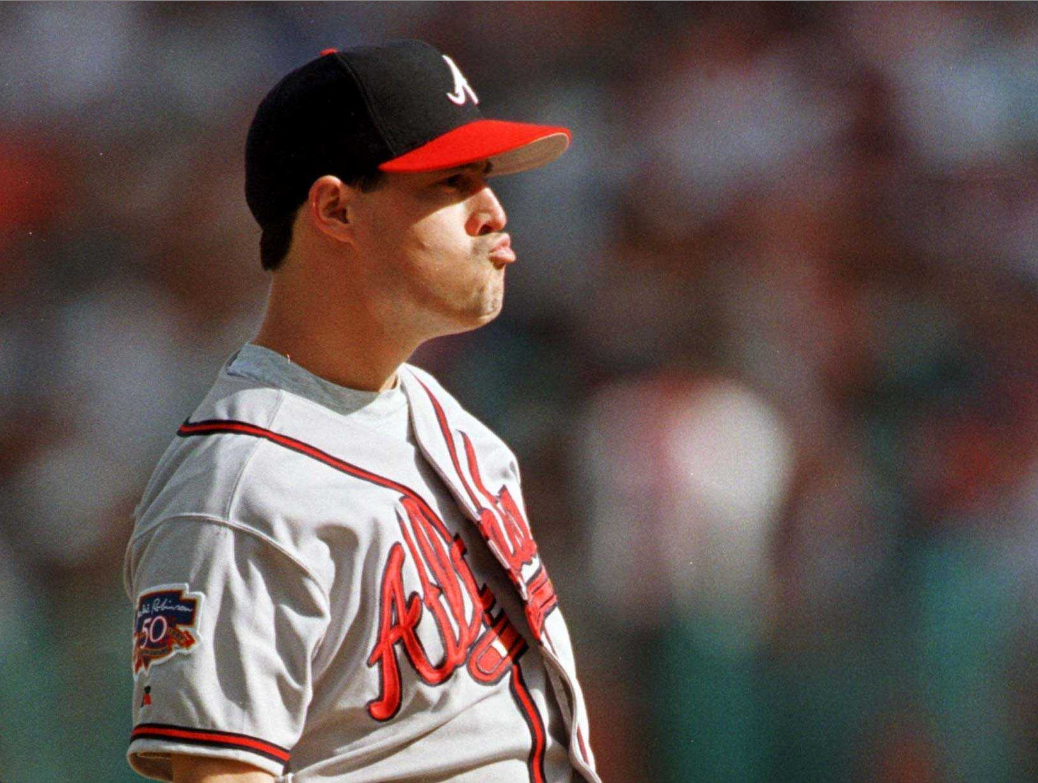
As a major league pitcher, if you can't crack 90 mph and you make faces like this, you need to get creative to win.


Hall of Fame pitcher Greg Maddux preferred to pitch to his team's backup catcher. From what I recall he even took this so far as to call his own pitches until the backup got a feel for how Maddux wanted to approach hitters. To take it a step further, Mad Dog called his own pitches in a special way.

As soon as Maddux threw a pitch he called his next pitch based on where he, the pitcher, put his glove to receive the ball back from the catcher or how he touched his cap among other means of deception. Depending on his glove's location, be it up or down, by him or his arm out, determined what he wanted to throw next and where.

While the other team tried to steal signs by reading whichever one the catcher put down, it was too late. Maddux had already called the next pitch.

Call it baseball shorthand; a neat little trick to abbreviate the game - and throw off the opposition.

Swift also has some shorthand tricks. Today we'll cover the operator shorthand. What's an operator? Well, if we say, "1 + 2" then the "+" is the operator. As you can imagine, there are also operators for subtraction (-), multiplication (*), and division (/). Today, we'll focus on the addition and subtraction operators.

Let's say Chris Davis has 3 strikeouts in a game and then he gets rung up for the golden sombrero. How does that look in code?


OK. And now how does that look when we use the operator shorthand?


What happened? We replaced the "+ 1" with "++" and got the same result. And what happens if we change the location of the ++? Let's put it after the DavisK this time and see what happens.


What happened? We got the same result, but only when we used - or called - the print command to print out the result. What else happened? In the first two examples we calculated Davis' strikeout totals immediately, but in the last example the new total did not appear until we ran the print command. We'll get to whether or not to calculate something immediately or later in a future post.

The same applies when subtracting.

Let's say a giddy score keeper credits Crush with a home run only for Mike Trout to rob him (rough day for Davis all around). How does that look in code?


And how does it look if we use the subtraction operator?


And if we want to calculate the subtraction later?


Oh, and what's that "\n"? That refers to "insert newline" which sounds like something the computer wants you to do, but in fact, it is something it does before printing out that statement (on a new line).

When do we use operator shorthands?
Operator shorthands are most often used in loop functions. What are loops function? They are the subject of the next post. So stick around.

Challenge: Write an addition operator for a player's particular statistical category and tweet it to me (@randallmardus).

On Deck: Loops!

Monday, July 18, 2016

Nested Ifs, Else Ifs, & Who's On First

In the old Abbott and Costello skit, "Who's on first?" Lou can't seem to get a straight answer to save his life.


And that's a lot like what happened with our last post where our catcher received three different answers for how to handle Marte on first and Harrison on third.

In addition to that, our code got long, inefficient, and, to be honest, unhelpful. Rather, if we use "nested ifs" or, even better, a series of "else ifs" we can keep our code shorter, more efficient, and helpful.

Let's take a look at the original code again:


And now let's take a look at our more streamlined code using "else ifs":


What differences do we see? We see that the first version is 23 lines of code and that the second is only 15. Much better. We also see that the first version prints out three different outcomes ("Nail him", "There's no play at second because...", and "Call for the shortstop to cut off the...") while the second only prints out, "Nail him." If we are the catcher, we need to make one decision, not three so the second version is much more helpful.

Why did the first print out three different outcomes and the second only print out one? In the first we wrote three separate functions so we got a separate answer for each function. In the second, we wrote one function that gives us one outcome.

Challenge: Re-write your code from the last challenge to turn it into one function using a series of "else if" statements.

On Deck: Operator Shorthand

Friday, July 15, 2016

Marte on first, Harrison on third, less than two outs, what do you do?

Starling Marte is on first and Josh Harrison leads off of third, less than two outs. Marte takes off for second. As the catcher, what do you do? Do you throw it down to second to try and get Marte, risking Harrison scoring? Do you just throw it back to the pitcher? Or do you call a special play where the shortstop cuts off the throw to second just behind the mound to get the runner at home?


A lot going on, right?

The conditionals we've played with so far couldn't handle this much. They could handle, "if Marte goes then throw to second, else throw to pitcher", but they can't handle, "if Marte goes and the pitcher throws a fastball, then throw to second, else throw back to the pitcher."

Fortunately, there are logical operators. What are logical operators, you ask? Good question. Let's take a look at Apple's documentation:


Now let's put these logical operators to work in our Marte and Harrison example above:


We have a few options here. If it is true that the runner on first goes AND (&&) it is true that the pitcher throws a fastball then the catcher can throw down to second (better chance than if the pitcher throws a slower pitch, but still a tough play); else, it is false that the runner on first goes in which case there is no need to throw to second.

In the second conditional, if it is true that the runner on first goes AND (&&) if it is true that the pitcher does NOT (!) throw a fastball, then the catcher can eat it as there's not a good chance he'll get the runner at second; else, if it is false that the runner is going to second, then there is no play at second and no need to throw it there.

In the third conditional, if it is true that the runner on first goes OR (||) it is true that the runner on third is fast, then the catcher should call a play for the shortstop to cut off the throw to second behind the pitcher's mound to try and get the runner from third at home; else, if it is false that the runner from first is going to steal second, there there is no play at second and no need to throw there.

As you may have noticed, when Marte did not go for second I skipped over whether or not Harrison would take off from third. Why? Because in baseball terms didn't matter. More importantly, the computer thinks the same way. That is, if the first condition is not true, then the program we've written breaks and stops running. The programs stops running as soon as something is false so in this case, it doesn't even get to Harrison.

Unfortunately, there's a problem with this code. Can you see it? The problem is that the catcher is told to do three different things when we need to do one. Why is that? That's because each "if" statement - or function - is considered unique and not related to the others. In the next post we'll re-write the code as one function which will solve this problem.

Challenge: Marte on first, Harrison on third, less than two outs. You're the centerfielder. Depending on where the ball is hit, how hard it is hit, and what the runners do, what are your options? Code it out, take a screen shot and tweet it to me (@randallmardus).

On Deck: Nested ifs!

Thursday, July 14, 2016

You Make The Call: Bat or Pull Kyle Seager

Baseball has no shortage of statistics, stats that allow us to draw comparisons between players, their performances, and the likelihood of this outcome or that outcome. These stats also help managers make decisions in the course of a game.


Take Seattle Mariners' third baseman Kyle Seager for instance. This year Seager has a 1.053 OPS versus right-handed pitching. Impressive. And against lefties? His OPS is only .613. Less impressive. Chances are if Seager comes up in the late innings, that the opposing skipper is going to bring in a lefty to face him at which point Seager's manager has a decision to make: Stay with Seager or go to the bench.

To help us make decisions based on numbers (whether they are integers, floats, or doubles), Swift offers a series of comparison operators for us to use. What are comparison operators? Good question. Here they are from Apple's own documentation:


The first two aside, the rest look a lot like what we learned in school, right? Here are some baseball examples:


Now back to those first two. What is the difference between the "=" assignment operator and the "==" comparison operator?

There's a big difference. Let's take a look.

As we discussed in an earlier post about assigning values to constants, when using the assignment operator (=) what we are saying is that we are attaching a certain value to a variable or constant. In the case of Miggy, we are assigning 426 to the variable miggyHRs. We are not saying that miggyHRs are equal to 426.

It's normal to think of the assignment operator (=) in mathematical terms because that's how many of us first came to know it. But here, it's more like saying, Miggy is with the Tigers. He's not equal to the Tigers. He's with them because we've assigned him to them. But that could change, especially if Miggy is a variable.


On the other hand, when we use "==" comparison operator we are saying that whatever is on the left-hand side of the "==" is equal to whatever is on the right-hand side. This is more like the equal sign we used in math class.

More so, when you use the "==" comparison operator Xcode will either return true or false. True, those items are equal or false, those items are not equal. Xcode does not return true or false when you use the assignment operator.

Similarly, we can say that these two statements are not true as we use the "does not equal" comparison operator: (!=). Here's an example comparing the career ERAs of Ed Walsh and Addie Joss:


Now let's put these comparison operators to work with conditionals. Back to Kyle Seager. If you're Seager's manager you probably have a certain cutoff at which point you prefer to pinch hit for a player. Let's say that cutoff for Seager against lefties is an OPS of 0.725 and that Seager's cutoff against righties is an OPS of 0.800.


Challenge 1: Re-create the Kyle Seager code above using the player and cutoff figures of your choice and then take a screenshot and tweet it to me (@randallmardus).

Challenge 2: Flip the script on the Seager code and write code for a pitcher and how that pitcher deals with left or right-handed batters. Then take a screenshot and tweet it to me (@randallmardus).

On Deck: Logical operators!

Wednesday, July 13, 2016

Charlie, Here Comes The Deuce

When I played third base as kid I knew I didn't have enough time to think once I got the ball, so I did my thinking in advance with a running dialogue in my head between pitches.

"If they hit a grounder to me, I'm going to first. Else, I'm covering the bag.

"If they hit it to left field, I'm the cutoff home. Else, I'm covering the bag.

"If they don't like my 12 year old mustache, they can kiss my butt. Else, cool."

In other words, I went through different possible conditions that could occur and came up with how I would respond to each condition. 

We do the same thing in Swift programming. If you click on Baseball-Reference.com's black login button...


...then a login pop-up appears so you can enter their username and password; else, the you stay on your current page. 


If you select this Oscar Gamble cross-stitch...

Oscar Gamble Cross-Stitch

then Etsy will put it in your shopping cart; else, nothing happens. 


These either/or, if/else decisions are called conditionals.

Let's recreate in code the conditionals from this scene in Bull Durham


Why are conditionals important?
Conditionals allow users of apps and websites to make decisions whether they are playing a game and deciding to swing at a pitch (if I tap a button, swing...)/take a ball (else, do not swing),  or order that Oscar Gamble cross-stitch.

When do I use a conditional?
Use a conditional when you have at least two possible conditions and outcomes. A good way to know if you need to use a conditional is if you can complete this thought, "If (insert what might happen), then (insert the result of that condition; else (insert another possible condition), then (insert the result of that second condition)." If you can do that, then you have a conditional. Else, not so much. See what I did there? Ha.

Side note: See that "" next to crashQuote? What is that? It's an empty string. Why is it empty? Because, in this case, there are two possible outcomes depending on what happens. If I fill in that string from the start, because it is a variable (see the var?) it will just change anyway depending on the outcome so I may as well leave it empty and let the appropriate outcome fill it in later.

Challenge 1: Pick another scene from Bull Durham where Nuke doesn't listen to Crash, code it out, and tweet it to me (@randallmardus).

Challenge 2: Pick a scene from Major League, code out a conditional, and tweet it to me (@randallmardus).

On Deck: Comparison operators!