Showing posts with label operator shorthand. Show all posts

Wednesday, July 20, 2016

For Loops Through the Batting Order

What are the best baseball lineups of all-time?

How about the 1927 Murderers' Row Yankees? That lineup included:

Combs
Koenig
Ruth
Gehrig
Meusel
Lazzeri
Dugan
Collins
(Pitcher)


What about the 1004 run 1930 Cardinals? That lineup had:

Douthit
Adams
Frisch
Bottomley
Hafey
Watkins
Mancuso
Gelbert
(Pitcher)


Or how about the 1027 run 1950 Boston Red Sox lineup that featured these guys:

DiMaggio
Pesky
Goodman
Stephens
Dropo
Doerr
Zarilla
Tebbetts
(Pitcher)

Who knows? They all scored a lot of runs and turned over the batting order time and time again.

And like a batting order of nine guys that starts back at the top after the ninth hitter hits, so a loop in coding does the same.

Let's look at a generic batting order, 1-9:


What's going on here? This is what's called a "for loop". As the Big Nerd Ranch Guide to Swift Programming explains, "The for loop is ideal for iterating over the specific elements of an instance or collection of instances when the number of iterations to perform is either known or easy to derive."

Why are for loops important?
For loops are particularly important if you have a large database of items that you need to add to, subtract from, multiply from, or divide by a consistent number throughout the database.

When do we use for loops?
If you had a small database of a few figures that you needed to add one to, you could do it yourself, but if your database is all current MLB players, that would take you hours. A for loop helps you automate the process and save a lot of time.

Back to the book's definition, which is nice, but what does it mean? Let's take that batting order example above. As we know, a batting order has nine spots in the lineup. For now, we've set our variable battingOrder to zero. Why? Because we want to establish that battingOrder is an integer and, because it is a variable, we know it is probably going to change so by setting it to zero we don't set our hearts on it.

What about that "for b in 1...9"? Good question. In this case, I chose b as in batter so I can remember it better, but you could use any letter. Why? Because it is just a placeholder. And because this is our first time through this loop we can read this as, "For every batter in lineup spot one through nine..."

On to the next line. As we learned in the last post, the ++battingOrder is operator shorthand and another way of saying, "Add one to the current value of the battingOrder variable." In this case, that means, add one to zero which gives us one.

The last line is a command to print out the current value of the battingOrder variable. At this point, it will print out 1.

And then, because it is a loop, it will start over again, but this time it will start with battingOrder = 1 and will end up printing out 2 and so forth.

So when does our for loop stop?

This for loop will stop at nine because we told it in the first line of the loop that our parameters are 1...9. If you scroll over the white circle in your Xcode Playground to the far right of the ++battingOrder line you will see this:


While this image may not remind you of a batting order, what you can see is that we added one each time through the loop starting at one (the leadoff hitter) to nine, the last hitter.

And the "(9 times)"? What is that? That's the number of times we went through the loop.

Challenge: Write a for loop that simulates an intentional walk and tweet a screenshot of your code to me (@randallmardus).

On Deck: While Loops


Tuesday, July 19, 2016

Calculating Chris Davis' Golden Sombrero

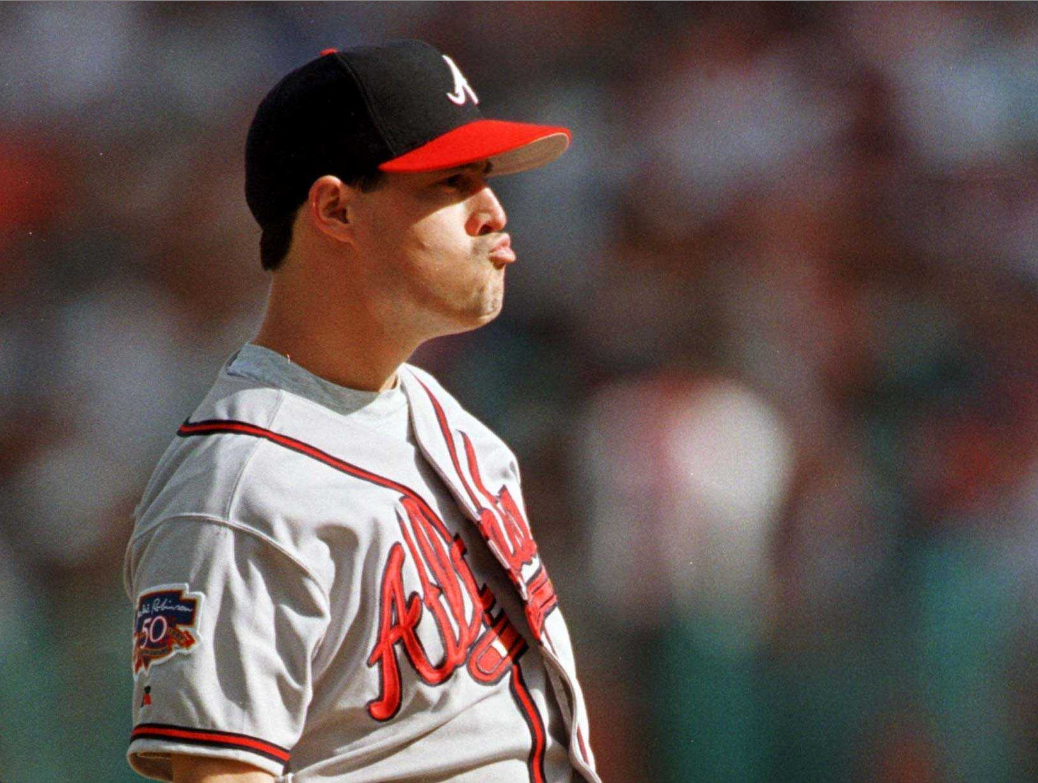
As a major league pitcher, if you can't crack 90 mph and you make faces like this, you need to get creative to win.


Hall of Fame pitcher Greg Maddux preferred to pitch to his team's backup catcher. From what I recall he even took this so far as to call his own pitches until the backup got a feel for how Maddux wanted to approach hitters. To take it a step further, Mad Dog called his own pitches in a special way.

As soon as Maddux threw a pitch he called his next pitch based on where he, the pitcher, put his glove to receive the ball back from the catcher or how he touched his cap among other means of deception. Depending on his glove's location, be it up or down, by him or his arm out, determined what he wanted to throw next and where.

While the other team tried to steal signs by reading whichever one the catcher put down, it was too late. Maddux had already called the next pitch.

Call it baseball shorthand; a neat little trick to abbreviate the game - and throw off the opposition.

Swift also has some shorthand tricks. Today we'll cover the operator shorthand. What's an operator? Well, if we say, "1 + 2" then the "+" is the operator. As you can imagine, there are also operators for subtraction (-), multiplication (*), and division (/). Today, we'll focus on the addition and subtraction operators.

Let's say Chris Davis has 3 strikeouts in a game and then he gets rung up for the golden sombrero. How does that look in code?


OK. And now how does that look when we use the operator shorthand?


What happened? We replaced the "+ 1" with "++" and got the same result. And what happens if we change the location of the ++? Let's put it after the DavisK this time and see what happens.


What happened? We got the same result, but only when we used - or called - the print command to print out the result. What else happened? In the first two examples we calculated Davis' strikeout totals immediately, but in the last example the new total did not appear until we ran the print command. We'll get to whether or not to calculate something immediately or later in a future post.

The same applies when subtracting.

Let's say a giddy score keeper credits Crush with a home run only for Mike Trout to rob him (rough day for Davis all around). How does that look in code?


And how does it look if we use the subtraction operator?


And if we want to calculate the subtraction later?


Oh, and what's that "\n"? That refers to "insert newline" which sounds like something the computer wants you to do, but in fact, it is something it does before printing out that statement (on a new line).

When do we use operator shorthands?
Operator shorthands are most often used in loop functions. What are loops function? They are the subject of the next post. So stick around.

Challenge: Write an addition operator for a player's particular statistical category and tweet it to me (@randallmardus).

On Deck: Loops!